Teach an online lesson with Lasso on your Mac
Share your entire Mac display in Zoom, Google Meet or Teams, then press Option–Shift–A to draw over the lesson. Try it with one fraction problem. Highlight the instruction, work it out on a whiteboard, then save the part students should keep.
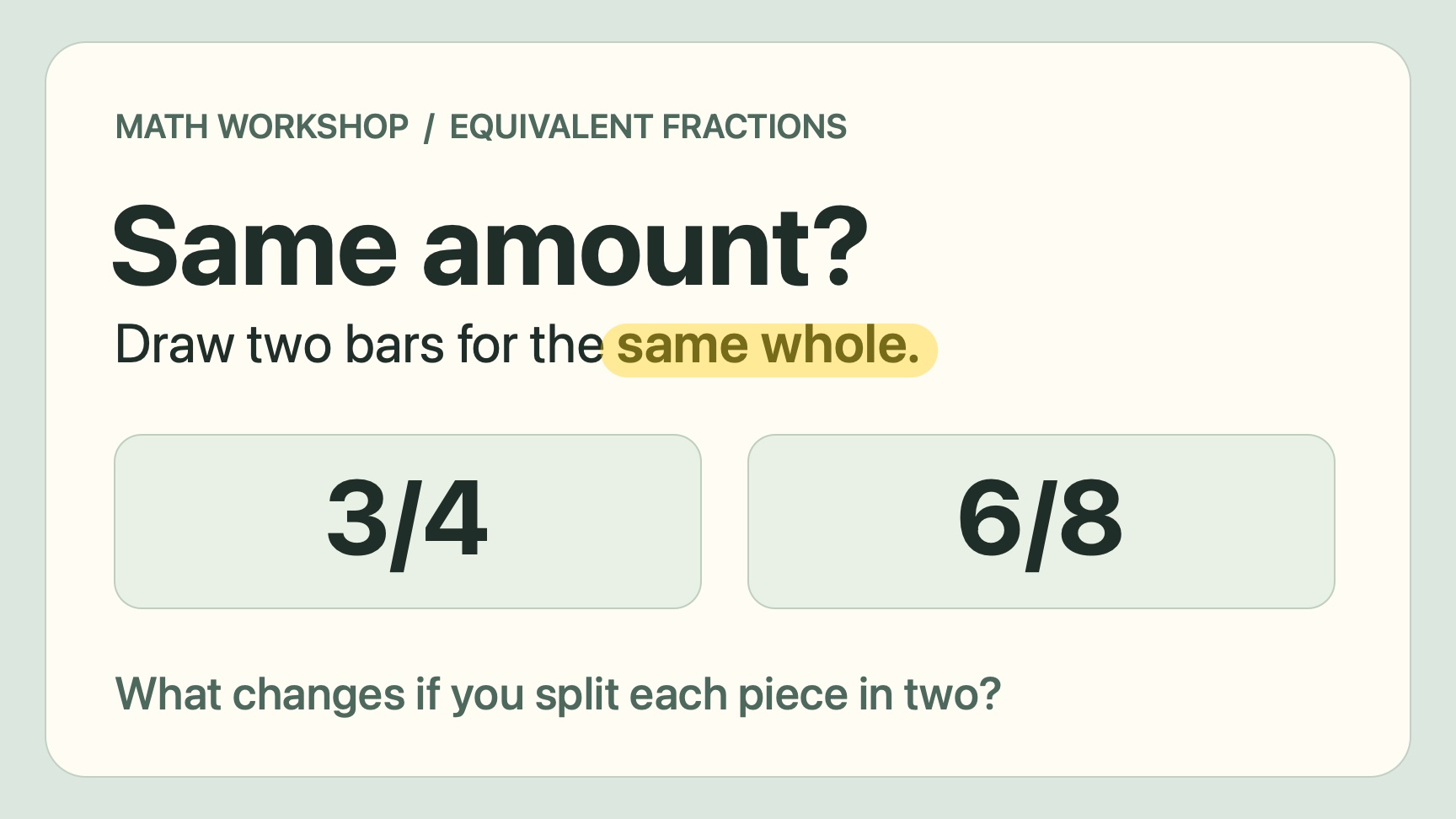
Highlight the condition before the answer
Start with the slide above. Ask whether 3/4 and 6/8 could describe the same amount, then highlight “same whole.” Three quarters of a small pizza and six eighths of a large one can be different amounts. Those two words change how students have to read the question.
Try asking, “What has to stay the same before we compare what’s shaded?” Give students a moment to answer in chat. The same move works on a PDF or a reading passage. Highlight the relevant sentence and ask which words support their answer.
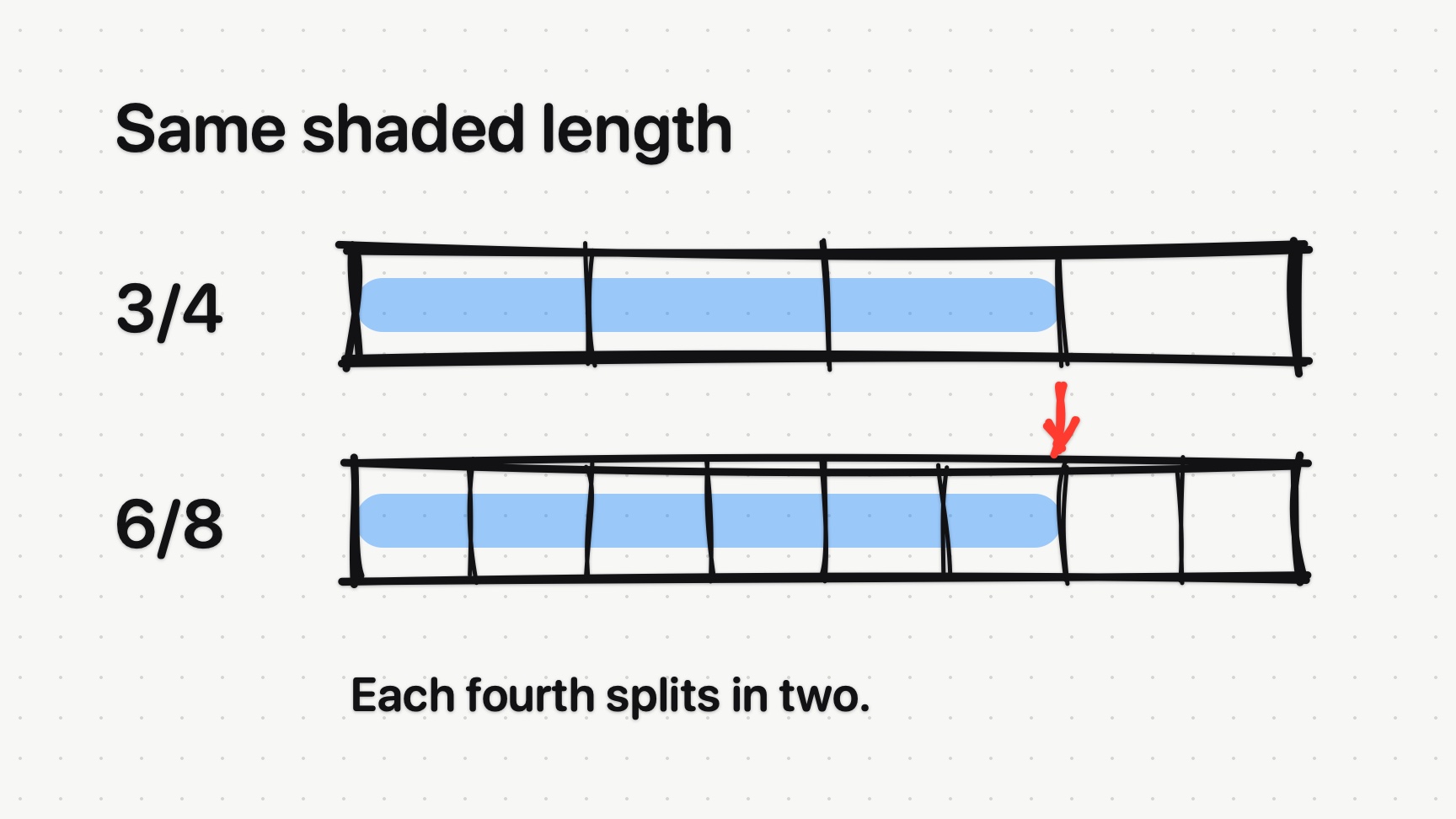
Draw two equal bars and split each fourth
Press W while drawing to open a whiteboard. Use R to draw two equal-length rectangles. Line up the ends before you divide either bar. If one outline is longer, redraw it first. The comparison depends on both bars representing the same whole.
Use L to divide the top bar into four pieces and H to shade three. Before filling the second bar, ask what will happen if each fourth gets split in two. Draw eight pieces and shade six, then use A to point to where the shading ends. Ask students to say what changed and what stayed the same.
If you’ve panned or zoomed while drawing, press Shift–1 (⇧1) to fit the board before taking a screenshot. Use the page tabs to go back to your marked slide.
Save the board and give students one more problem
Before you press Escape, press Shift–S (⇧S) and drag around the bars and their labels. Lasso 1.9.1 copies the image as you take it, so you can paste it into your course site after the preview disappears. Add a plain-text note that says what the picture shows. Splitting each fourth in two gives you twice as many pieces without changing the shaded amount.
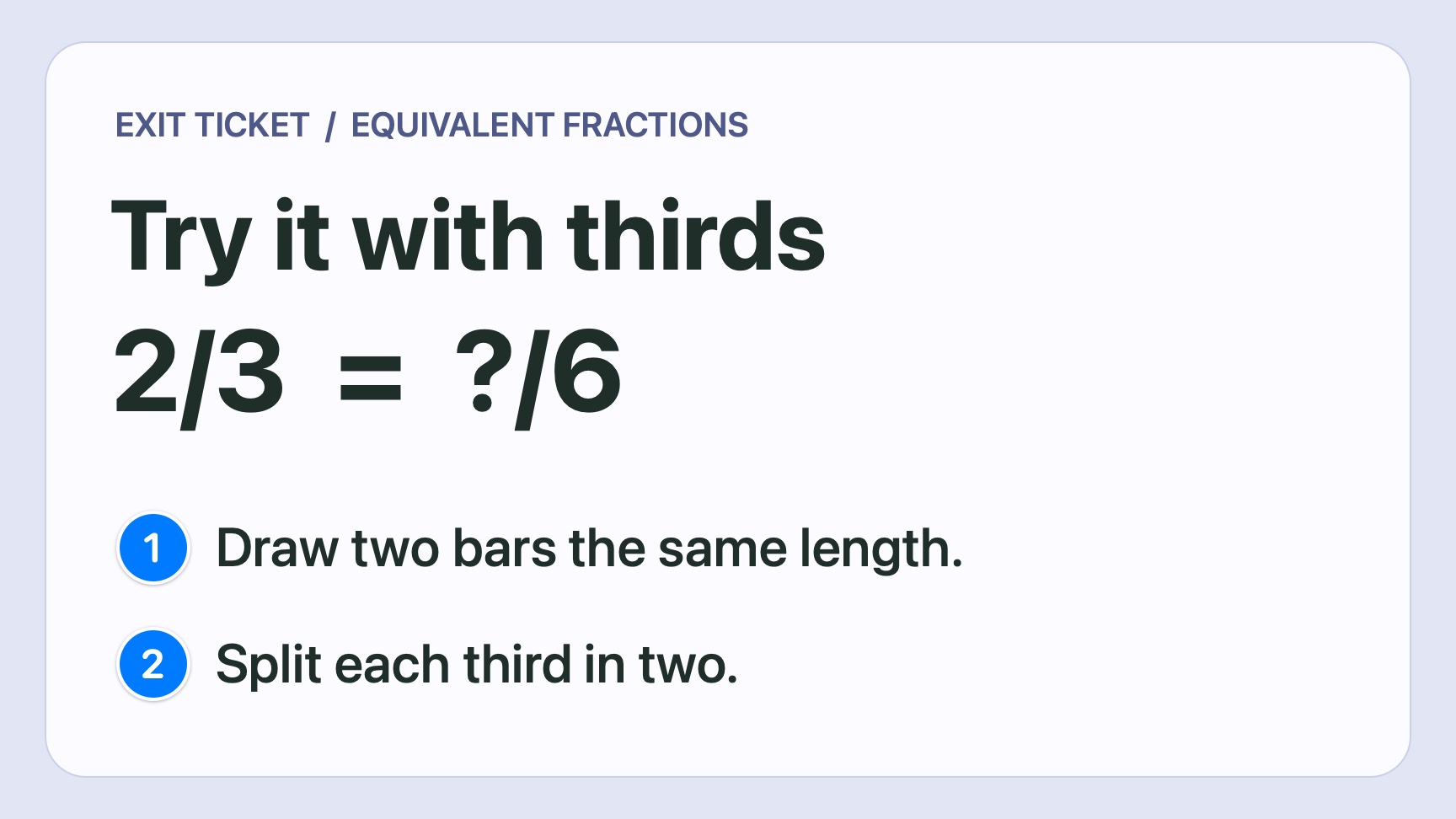
For an exit ticket, try 2/3 = ?/6. Press C to number the two instructions on the slide below. Ask for a sketch or a sentence explaining how students found the missing number. Look for two shaded thirds becoming four shaded sixths.
Keep a mark visible while you demonstrate
In a spreadsheet demo, put a numbered mark beside the cell students need to edit. Click the pushpin on Lasso’s toolbar so you can type into the spreadsheet while the number stays visible. Clear the mark before you scroll to another row.
Give one next step in office hours
Box the sentence you’re talking about with R and use T to leave a short note, such as “Name the source here.” Ask the student to tell you what they’ll change. If you save the marked draft, check the crop for private information and share it in the student’s private course thread.
What you need to draw, capture, or record
Lasso runs on Apple silicon and Intel Macs with macOS 14 Sonoma or later. Drawing works without Screen Recording permission. Give Lasso that permission when you want to capture an image. For a video of the lesson, have your meeting app or recorder capture the display you drew on and play back a short test clip.
The three figures use Lasso 1.9.1’s native drawing code on practice materials made for this walkthrough.